Quiver Photos
Releases
Latest V3 Release
Loading...Windows
Most Windows computers are AMD systems.Mac
Newer M1+ chips use "Apple" silicon (ARM64). Older machines use Intel (AMD64).Linux
Notes
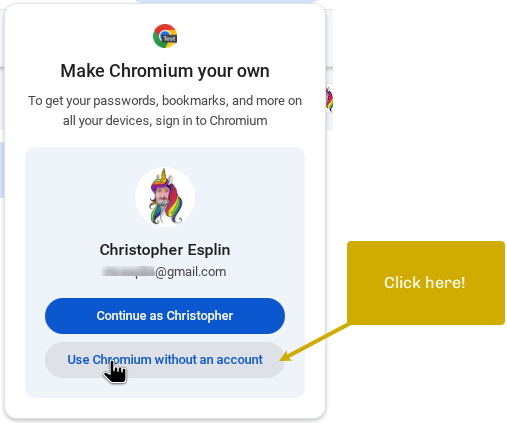
Chromium will tempt you to use Chrome with your account.DO NOT FALL FOR IT.
Your Chrome account will fuss with the settings and likely break the app.
If you do mess up your Chromium profile, you can reset it. The commands from the main menu are "c" then "4".
Opening the app
View in new tabMacOS
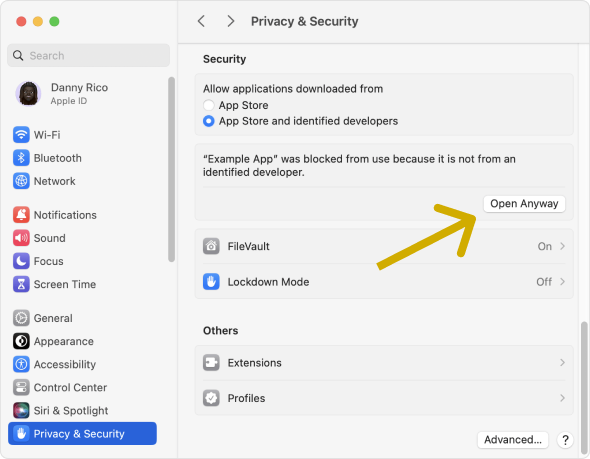
- Open System Settings.
- Click Privacy & Security, scroll down, and click the Open Anyway button to confirm your intent to open or install the app.
Windows
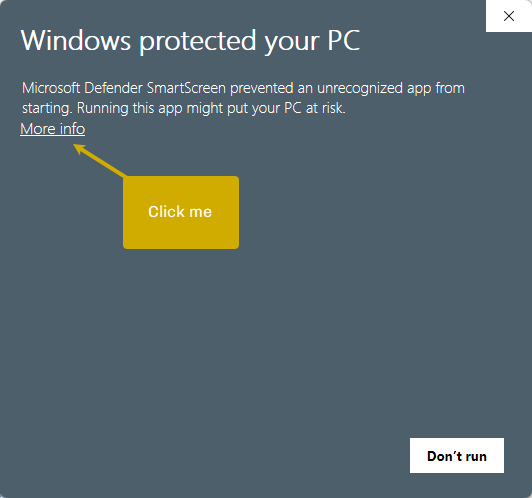
- Click "More info".
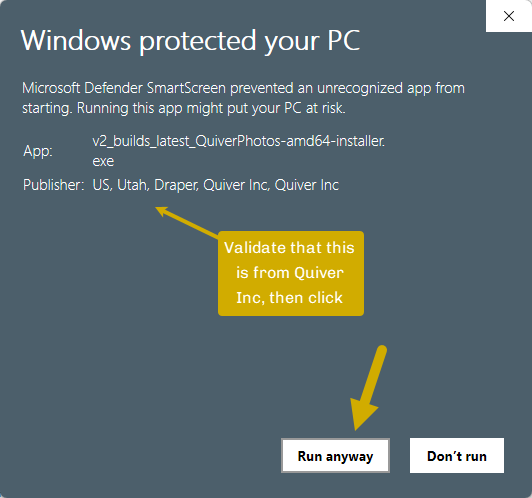
- Validate that the publisher is "Quiver Inc" and click "Run anyway".